 MalibuSync
Two folders in.
Finished FCPXML out.
MalibuSync matches camera and sound files by timecode, lets you check and lock every sync by eye, and exports a finished FCPXML for Final Cut Pro.
Four steps
From a card dump to a Final Cut Pro import.
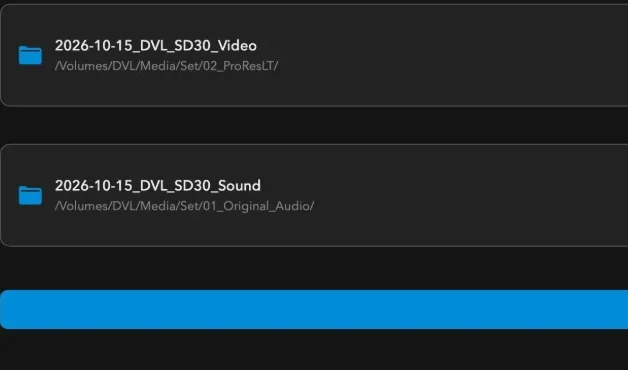
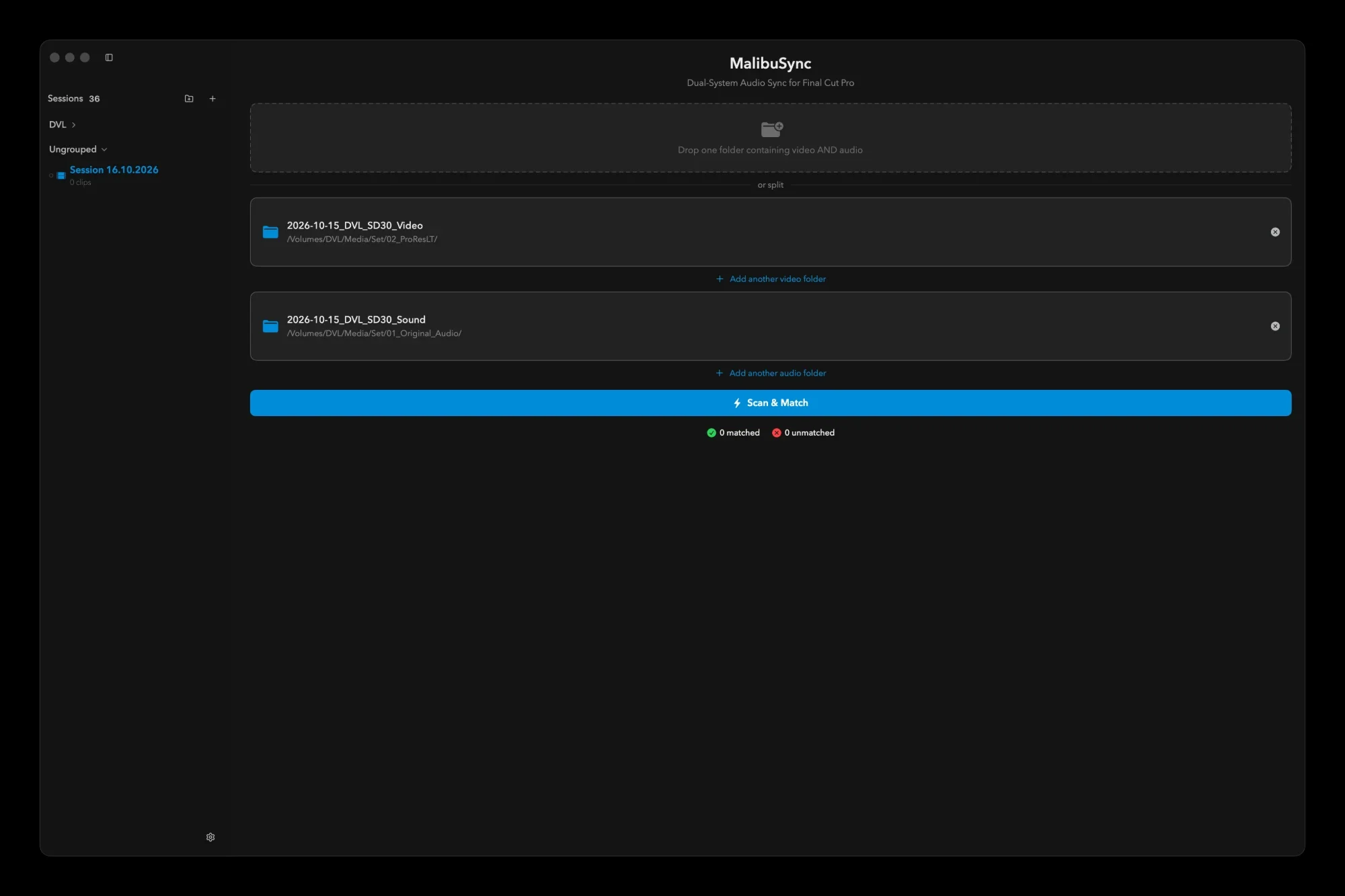
Add your folders
Drop the folder of one shoot day, or the video and the audio separately. Subfolders are read recursively. Forgotten folders can be added later with Add Raw Files.
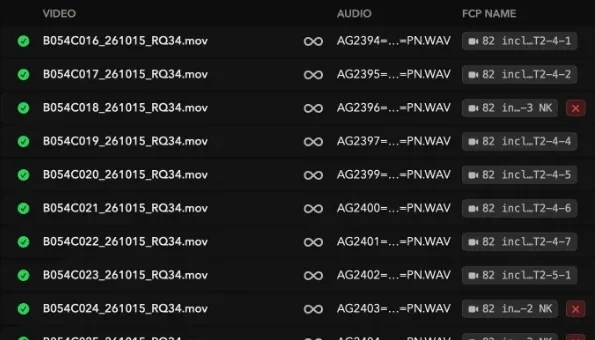
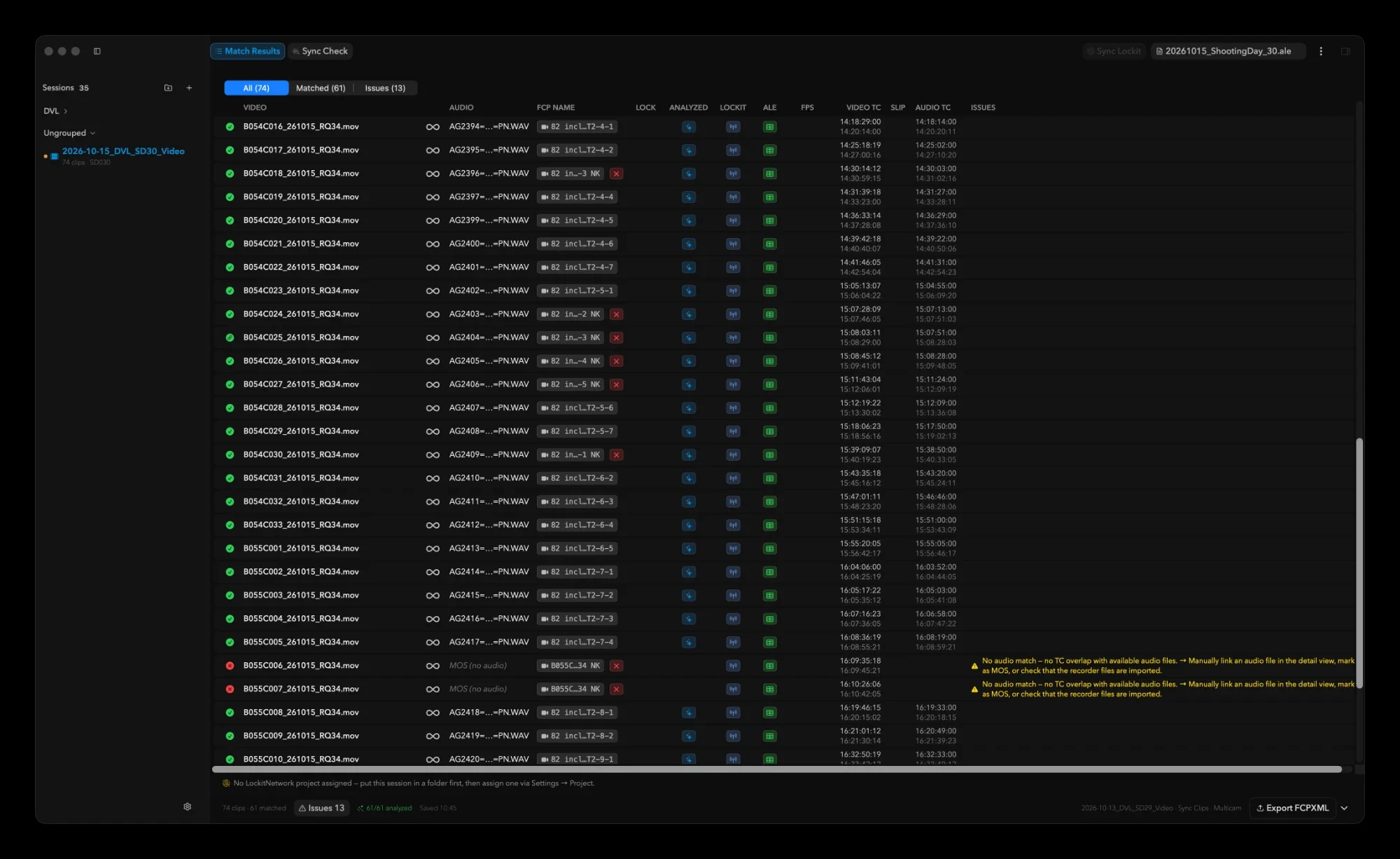
Scan and match
Scan & Match reads timecode and date of every file and pairs picture with sound by timecode overlap. No ALE file and no Lockit data are needed.
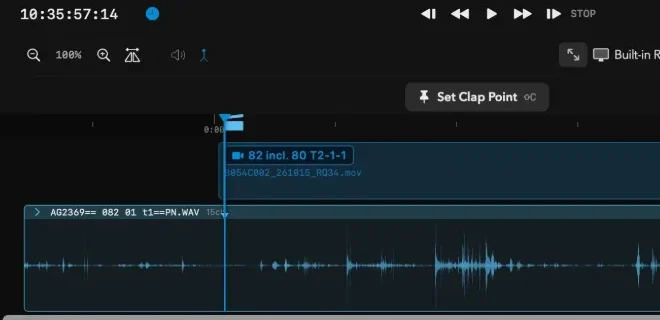
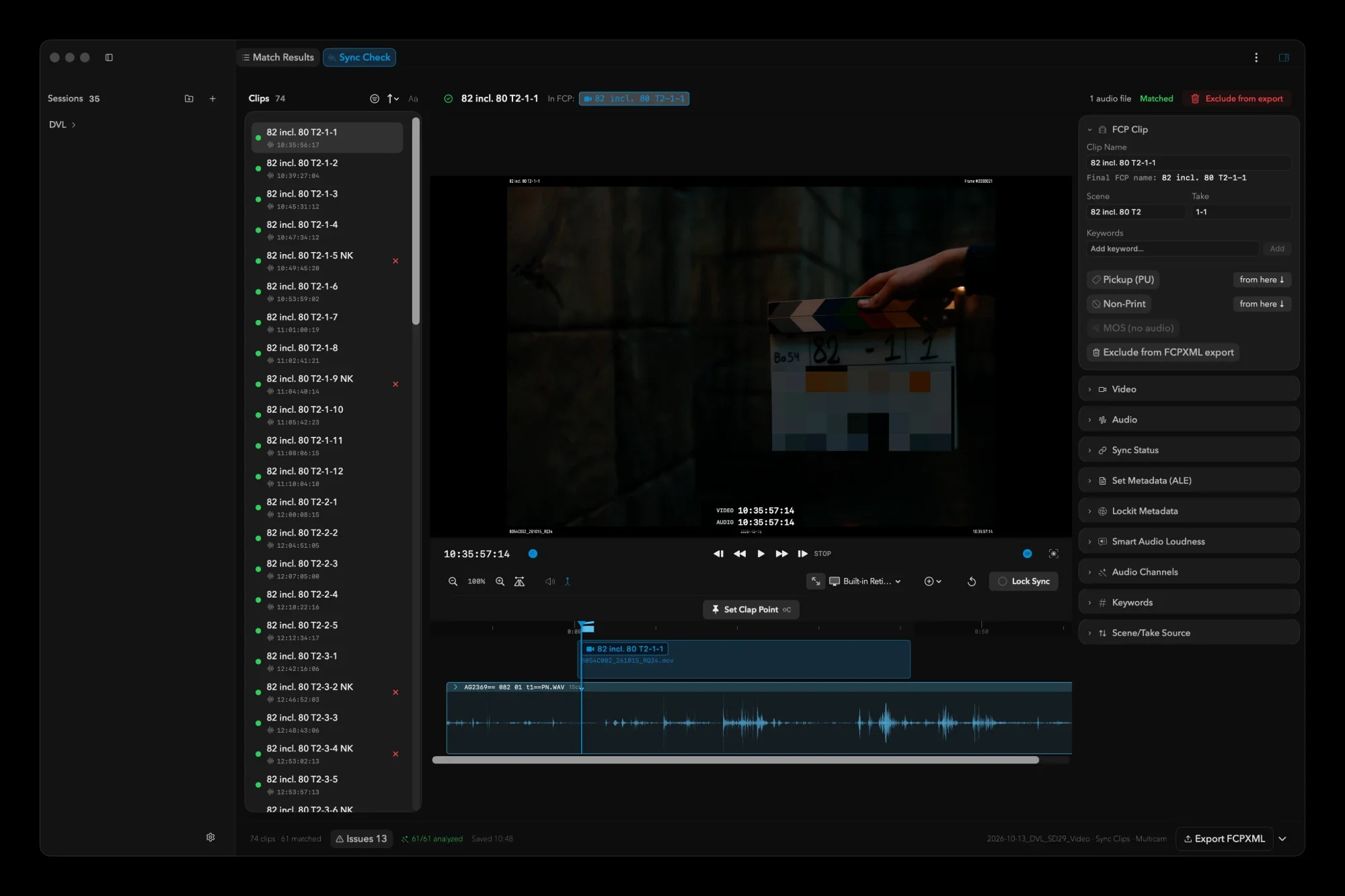
Check, correct, lock
Sync Check plays any clip. Set the clap point, nudge the sound frame by frame, lock the clip with ⌘L and confirm it with Return.
Export to Final Cut Pro
Name the Event and export an FCPXML with synced clips and multicam clips, optionally only the locked ones.
In the app
Real screens from a shoot day.
What's inside
What the current version (0.17) actually does.
Timecode matching
Pairs picture and sound by timecode overlap and date. Reads timecode from MOV, MP4 and M4V video and from WAV and BWF audio. Optionally decodes LTC from an audio channel. Drop frame and non drop frame, common frame rates, and offspeed material, both as native slow motion and in real time.
Sync Check
Play any clip in the player inside the app. Set the clap point with Shift+C or by clicking the waveform while holding ⌘⌥, slip the sound one frame at a time with the comma and period keys, and loop around the clap to check it.
Lock and confirm
Lock a clip with ⌘L so that syncing again later cannot change it, and confirm it with Return. ⌘Z undoes the last edit.
Smart Audio
Choose Off, Standard, Studio, Cinematic or Custom. MalibuSync writes Voice Isolation and Loudness (with Uniformity) per audio role into the FCPXML, and Final Cut Pro does the processing. The analysis runs by itself after a scan.
Channel selection
Optional, and off until you turn it on in Settings. It analyzes every channel of the recorder file, picks the best one per clip and reads the role name of each channel from iXML.
Multicam
Cameras whose timecodes overlap and whose shoot days are within one day are merged into multicam clips. You can also force clips together or exclude a clip.
ALE, CSV and column mapping
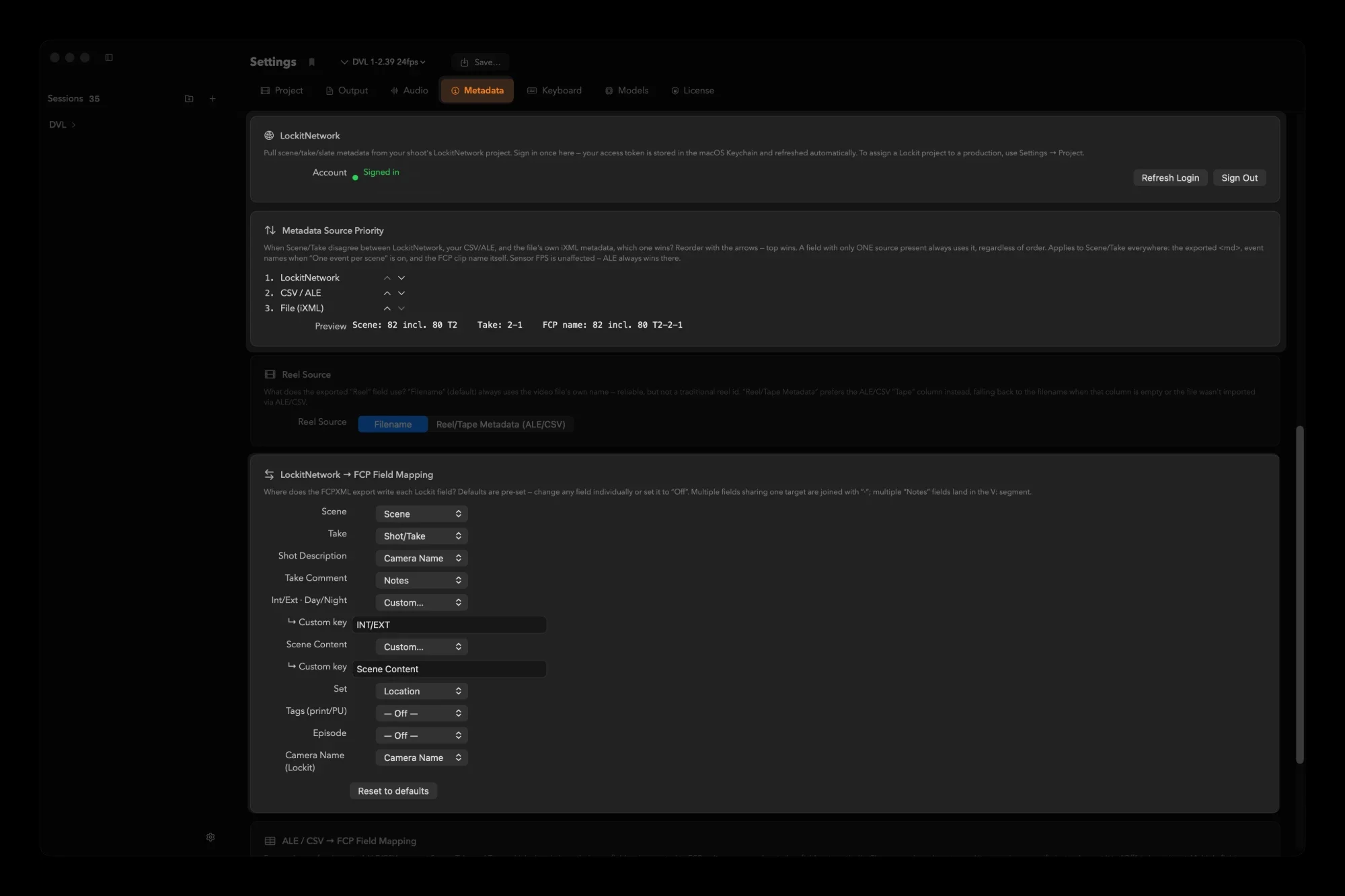
Import an ALE, CSV or TSV report and pair its rows by filename or by a column such as Tape or Camroll. Every column goes to Final Cut Pro as its own metadata field, and you can map or switch off each one.
LockitNetwork
Sign in with your LockitNetwork account and pull scene and take data onto the matched clips. It needs an account and an internet connection, and you decide whether Lockit, the report or the file wins.
Add Raw Files
Forgot a folder? Add it to the running session. Locks, offsets, anchors and approvals of existing clips are kept; sound that no clip claims becomes a wild track.
Wild tracks
Wild tracks, including a category for Atmos, sorted the way you read them.
Export options
Name the Event, split into one Event per scene, export only the locked clips, and choose Common, Video or No trim. Audio that is not synced can be marked Rejected.
Good to know
What you need, what to watch for, and what it does not do yet.
Requirements
- macOS 14 or later, Final Cut Pro
- Your media never leaves your Mac.
- Free trial, then a license you pay for once
- An email address is requested on first launch
Not there yet
- Timecode is read from MOV, MP4, M4V, WAV and BWF only. MXF and BRAW files are found but have no timecode path; AIFF carries no timecode
- Sync is timecode plus audio clap; waveform matching is planned, not built
- Output is FCPXML for Final Cut Pro only; no Premiere, Resolve or Avid
Worth knowing
- Smart Audio runs in the background after a scan, and the export buttons unlock once it has finished.
- A locked clip is not recalculated when you sync again later, until you unlock it.
- Reset Session throws away all matches, adjustments, locks and imported metadata, and cannot be undone.
- Diagnostics is off by default. If you switch it on, Send to FCP also uploads a diagnostics ticket that contains the FCPXML with media paths.
Download MalibuSync
Notarized and signed. Updates arrive automatically.